The Best Free Link in Bio Tools for Creators in 2026
An honest comparison of free link in bio tools for creators: Linklfe, Linktree, Beacons, Carrd, and Instagram's built-in links. What you get free and who each tool suits.
5 min read
On this page · 9 sections
Every creator eventually hits the same wall: one link in your bio, five places you want to send people. A link in bio tool solves that, and most of them have a free plan. The free plans are not equal, though. Some cap your links, some push their own branding, and some hide analytics behind a paywall.
We compared the most common free options on what actually matters to creators. We make Linklfe, so we have put it in the list, but we have tried to be fair about where the others are a better fit.
What makes a good free link in bio tool
Before comparing names, here is what we looked at:
- No hard limit on links so your page can grow with you
- Looks good on a phone since almost all bio traffic is mobile
- Basic analytics at minimum page views and link clicks
- Contact options like WhatsApp, email, or a form, not only plain links
- Fast pages because a slow page loses visitors before it loads
- A fair upgrade path where the free plan is useful on its own
Quick comparison
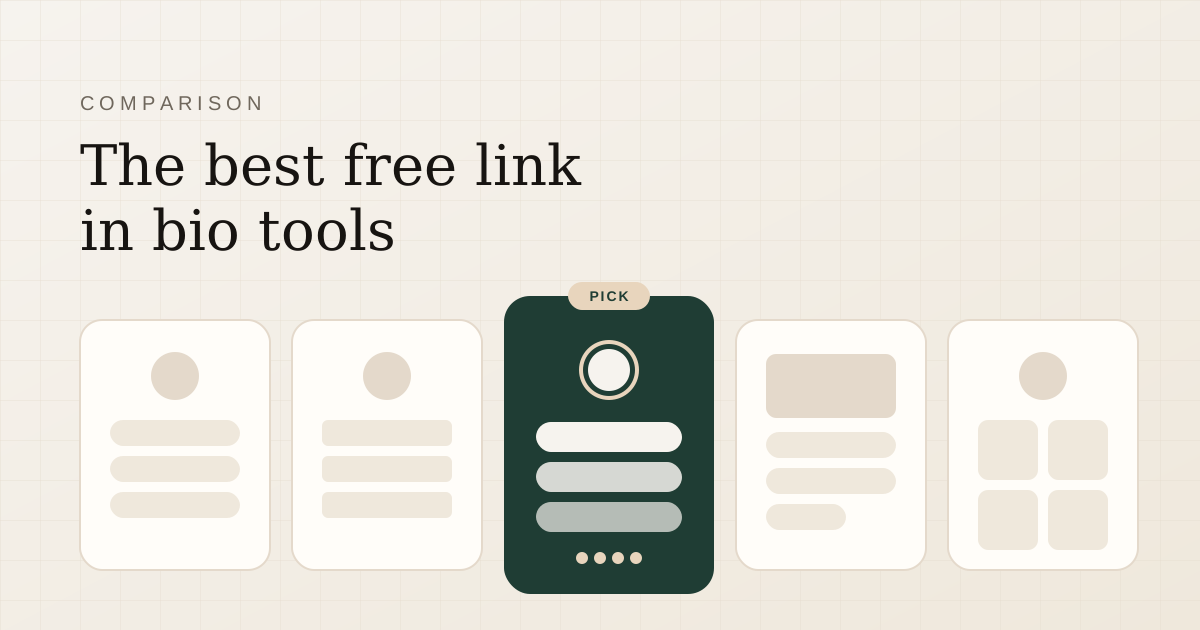
| Tool | Free plan highlights | Best for | Keep in mind |
|---|---|---|---|
| Linklfe | Unlimited links, 19 templates, social icons, analytics, forms, WhatsApp | Creators and small businesses who want a polished page plus analytics | Newer product; custom domains are still on the roadmap |
| Linktree | Unlimited links, large integration library | Creators who want the most established option | Several design and analytics features sit on paid tiers |
| Beacons | Link page plus creator tools like a media kit and store | Creators selling products or pitching brands | More features can mean a busier setup |
| Carrd | Simple one-page sites with lots of layout control | People who want a mini website rather than a link list | Takes longer to set up; more design decisions |
| Instagram links | Up to five links on your profile | Anyone who needs two or three plain links | Only the first link shows; no analytics; Instagram only |
1. Linklfe
Linklfe is a link in bio page built to look like a personal website rather than a plain list of buttons. You get one URL for your links, social profiles, and contact options, and it works on every platform.
What you get free
- Unlimited links, buttons, and headings
- 19 templates, with your content carried over when you switch
- Social icons for Instagram, YouTube, LinkedIn, X, GitHub, Facebook, TikTok, and your website
- WhatsApp, email, phone, and location blocks
- Contact, lead, newsletter, and quote request forms, with responses saved to an audience list you can export as CSV
- Analytics for views, clicks, click-through rate, traffic sources, and devices
- Custom page title and description for search engines, plus a QR code for your page
Where it fits best: creators, freelancers, and small businesses who want a page that feels premium and want to know which links earn clicks. It is particularly practical if your audience reaches you on WhatsApp.
Keep in mind: Linklfe is newer than the big names, so its integration list is shorter. Custom domains are planned but not available yet. The free plan has no time limit, and Pro adds priority support for Rs.150 a month after a 14-day trial.
2. Linktree
Linktree is the name most people know, and it is a dependable choice. The free plan covers unlimited links and a set of themes, and it connects with a wide range of other apps.
Where it fits best: creators who value the most established option and a large integration library.
Keep in mind: some customisation, deeper analytics, and scheduling features are on paid tiers, and free pages carry Linktree branding. Because it is so common, pages can look alike unless you put work into the design.
3. Beacons
Beacons goes beyond links with creator-focused tools such as a media kit for brand deals and options for selling digital products.
Where it fits best: creators who monetise directly and want a store, media kit, and link page in one place.
Keep in mind: if you only need a clean list of links and contact options, the extra features can make setup feel busier than necessary. Review how fees and features work on the free plan if you plan to sell.
4. Carrd
Carrd is a builder for simple one-page websites rather than a dedicated link in bio tool. That gives you far more layout freedom: sections, images, columns, and custom styling.
Where it fits best: people who want a small personal site and enjoy designing it.
Keep in mind: more freedom means more decisions. Building a good-looking page takes longer than picking a template and adding links, and some features like forms and custom domains require a paid plan.
5. Instagram's built-in links
Instagram lets you add up to five links to your profile at no cost and with no extra account.
Where it fits best: anyone who needs two or three plain links and nothing else.
Keep in mind: visitors see only the first link without tapping "more", there are no analytics, and it only works on Instagram. Our guide on how to add multiple links to your Instagram bio walks through both approaches step by step.
How to choose the right tool
Ask yourself three questions:
- Do I need more than links? If you want WhatsApp chats, forms, or a shop location on the page, pick a tool with blocks for those, such as Linklfe or Beacons.
- Do I care which links get clicked? If yes, make sure analytics are on the free plan, not just a teaser.
- How much time do I want to spend on design? Templates get you live in minutes. A site builder like Carrd gives you control at the cost of time.
Whatever you choose, keep the page short, put your priority link first, and use the same URL everywhere you post. You can always switch tools later; your audience only sees one link.
Frequently asked questions
What is the best free link in bio tool?
It depends on what you need. For a polished page with analytics, forms, and WhatsApp on the free plan, Linklfe is a strong fit. Linktree is the most established option, Beacons suits creators selling directly, and Carrd suits people who want a mini website.
Are free link in bio tools safe to use?
The established tools are. Use a strong password or Google sign-in, and avoid tools that ask for your Instagram password; a link in bio page never needs it.
Can I use one link in bio page on every platform?
Yes, and you should. Put the same URL on Instagram, TikTok, YouTube, LinkedIn, and X so every audience lands in the same place, and your analytics show the full picture.
Can I move from Linktree to Linklfe?
Yes. Create your Linklfe page, add your links and social icons, then replace the URL in each of your bios. There is nothing to cancel on your old page until you are ready.
Linklfe
Create your free Linklfe page in 60 seconds
Put every link, social profile, and contact option behind one clean URL you can drop into any bio.
- Free plan, no card needed
- Links, socials, and templates
- Views and clicks in one dashboard
- #tools
- #creators
- #comparison